
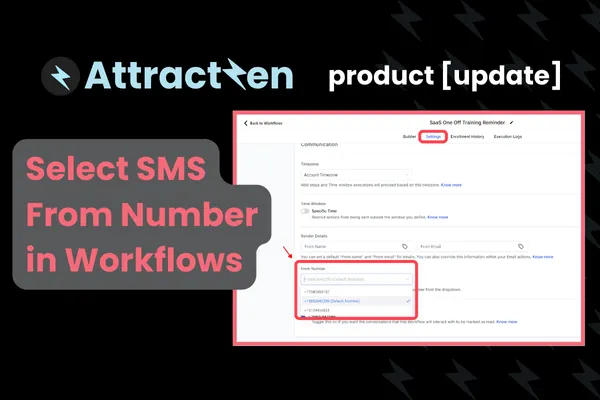
Product Update: Select SMS From Number in Workflows

Product Update: Select SMS From Number in Workflows

Product Update: Select SMS From Number in WorkflowsSean Goerss
Published on: 10/21/2024

A lot of you have different phone numbers that you're using in Attractzen. And when we're sending text messages out, the text messages have always sometimes been coming from that particular user. Sometimes your default number. You now have the ability to select the SMS outbound caller ID right from within a workflow. So when you're in a workflow, you're gonna go to settings and down here, just like you're able to select the from name

phonenumbersmarketingphonenumbers

Attract

CRM

Import tool

Email

Dialer

IVR phone tree

Voicemail drop

Text (SMS)

Social media planner

Live Chat

A.i. Conversations

Facebook ads

Google ads

Online events

In person events

Lead Magnets

Optin forms

Surveys

Landing pages

Build

Automations

Tasks

Notes

Pipelines

Opportunities

Smart lists

Lead Scoring

Notifications

Bulk SMS

Bulk Email

Newsletter

Blog

A.i. Content

Reputation management

Pixel retargeting

Convert

Appointment scheduling

Zoom

Google Meet

Order forms

Coupon codes

Proposals

Estimates

Invoices

Affiliate Manager

Communities

Stripe / Authorize.net / NMI

Sign Up for our Newsletter

Support

See a demo

Getting started

FAQ's

Help docs

1:1 onboarding

Software updates

Community

Customer hub

Webinars

Facebook group

Testimonials

Marketplace

Ai Workforce

Funnel build

Webinar build

Membership setup

Newsletter setup

Blog setup

Affiliate Program setup

Bulk Email setup

Company

About

Careers

Collabs

Integrations

All 628+ integrations

Zapier

Gmail 2 way email sync

Outlook/365 2 way email sync

iCal (Apple)

Google Calendar

Outlook/365 Calendar

Quickbooks

Affiliates

Affiliate Login

Become an Affiliate

Affiliate Terms and Conditions

© 2026 Attractzen

All Rights Reserved.