
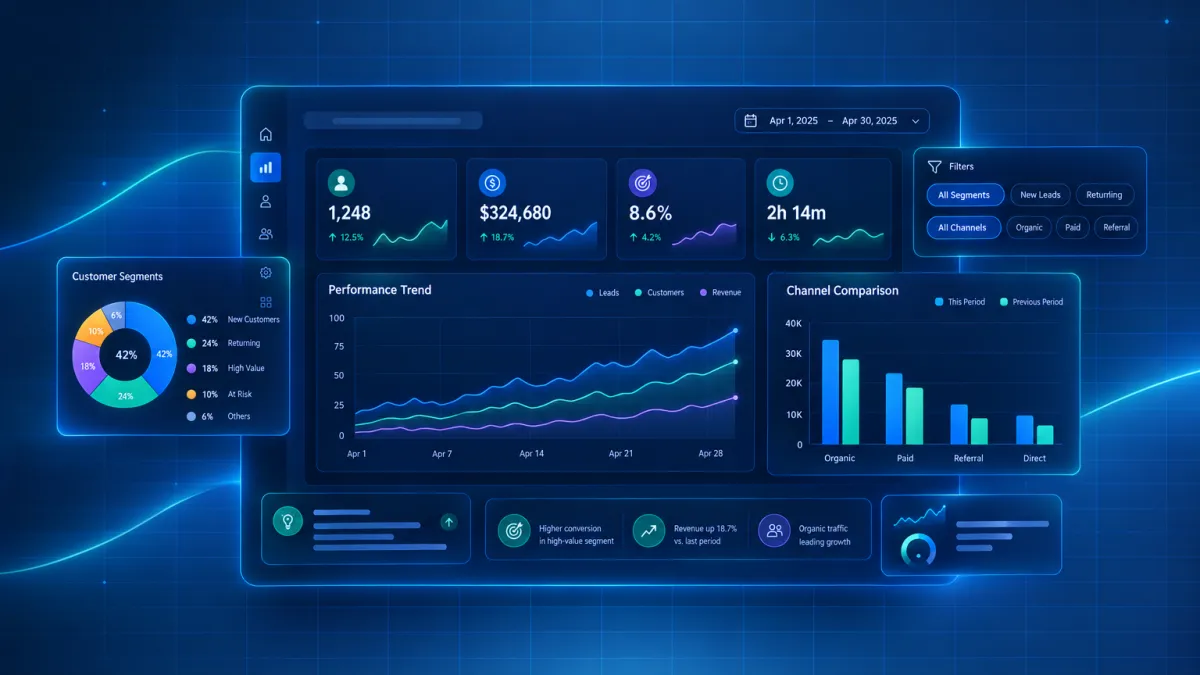
Your Attractzen Dashboard, Your Data: Customizable Widgets Are Now Live
Stop Seeing Everyone Else's Numbers Every Time You Open Your Dashboard
If you have ever opened your Attractzen dashboard and had to mentally filter out data that was not relevant to you - or manually re-applied the same filters day after day - that frustration is now gone.
Dashboard widgets in Attractzen are now fully configurable. Set permanent filters, lock in custom date ranges, apply visual themes, compare performance across time periods, and rename widgets to match your team's language. Your setup persists every time you open the dashboard - no re-filtering required.
What You Can Now Configure on Every Widget
- Permanent filter conditions: Scope a widget permanently by assigned user, tags, source, lead value, custom fields, and attribution. Set it once - the filter holds every session.
- Custom date range override: Lock a widget to a specific time period, independent of the dashboard-level date filter. One widget can show this month while another shows year-to-date.
- Comparison mode: See current period vs. last year or last period directly on the widget face - no separate report required.
- Date property visibility: Each widget now shows exactly which date property and date range it is calculating on, so two similar widgets showing different numbers no longer create confusion.
- Visual themes: Apply a theme to match your brand or help team members distinguish widget types at a glance.
- Rename widgets: Replace generic labels with language that means something to your team or clients.
- Duplicate widgets: Clone a configured widget and apply different filter conditions - perfect for side-by-side segment comparisons.
The Conditions Tab: Permanent Segmentation Without Rebuilding
The new Conditions tab is where the real power lives. Instead of filtering the entire dashboard every morning, you define permanent filter conditions per widget - and they hold every session.
- Personal performance views: Set Assigned user equal to Logged-in user once, and every team member who opens the dashboard automatically sees only their own pipeline, activity, and numbers.
- Source-specific tracking: Scope one widget to paid ad leads and another to organic referrals - both on the same dashboard, always current.
- Custom field segmentation: Filter by any custom field value to permanently scope a widget to a specific product line, service tier, or market segment.
Year-Over-Year Visibility in One Click
Lock a widget to This Year and enable comparison vs. Last Year. Every time anyone opens that dashboard, they see the growth story at a glance - no separate report, no manual date math. Comparison mode works on any general widget, making it easy to surface trends that matter: revenue growth, lead volume changes, pipeline velocity improvements, and more.
How to Set It Up
- Go to your Dashboard and click Edit dashboard in the top right.
- Hover over any general widget and click the three-dot menu, then select Edit.
- In the Configure tab - edit the widget title and set a date range override under Advanced Settings.
- In the Conditions tab - add your permanent data filters by selecting a field, operator, and value.
- In the Themes tab - apply a visual theme.
- Click Save. Your configuration is locked in and persists every session going forward.
A Note on Current Scope
Funnel and Manual Actions widgets are not yet configurable through this update - that is coming next. General widgets also do not currently respond to dashboard-level Quick Filters, and Pipeline is available as a runtime filter on the widget face rather than in the Conditions tab.
Why This Matters for Your Business
A dashboard that shows everyone the same generic numbers is just noise. A dashboard configured to show each person - or each client - exactly the data relevant to them is a real business tool. Whether you are a solo operator who wants personal performance at a glance, or a team lead building client-facing dashboards with branded themes and clean language, this update makes your Attractzen dashboard genuinely useful every single time you open it.
Ready to See What Attractzen Can Do for Your Business?
Your dashboard is just the beginning. Attractzen gives you AI-powered tools to attract, convert, and retain more clients - all from one platform.

Attract
CRM
Import tool
Dialer
IVR phone tree
Voicemail drop
Text (SMS)
Social media planner
Live Chat
A.i. Conversations
Facebook ads
Google ads
Online events
In person events
Lead Magnets
Optin forms
Surveys
Landing pages
Build
Automations
Tasks
Notes
Pipelines
Opportunities
Smart lists
Lead Scoring
Notifications
Bulk SMS
Bulk Email
Newsletter
Blog
A.i. Content
Reputation management
Pixel retargeting
Convert
Appointment scheduling
Zoom
Google Meet
Order forms
Coupon codes
Proposals
Estimates
Invoices
Affiliate Manager
Communities
Stripe / Authorize.net / NMI
Sign Up for our Newsletter
Support
See a demo
Getting started
FAQ's
Help docs
1:1 onboarding
Software updates
Community
Marketplace
Funnel build
Webinar build
Membership setup
Newsletter setup
Blog setup
Affiliate Program setup
Bulk Email setup
Company
About
Careers
Collabs
Integrations
All 628+ integrations
Zapier
Gmail 2 way email sync
Outlook/365 2 way email sync
iCal (Apple)
Google Calendar
Outlook/365 Calendar
Quickbooks
Affiliates
Quicklinks
© 2026 Attractzen
All Rights Reserved.


