
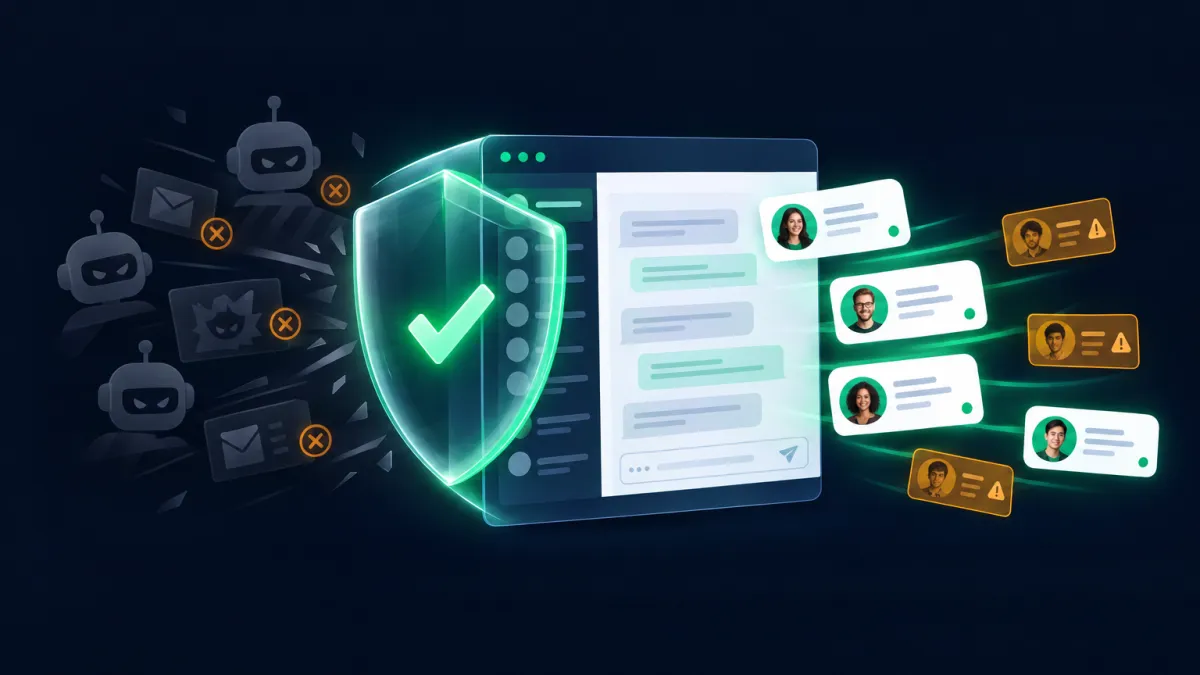
Stop Bots from Draining Your Chat Widget: Spam Protection Is Now Built In
A single spam attack on a chat widget can flood your CRM with hundreds of fake contacts in minutes. If you have automated follow-ups set up — and most Attractzen users do — those sequences start firing at invalid phone numbers and email addresses immediately. The result: unnecessary messaging costs, bounced messages, and real damage to your SMS and email sender reputation.
Attractzen's Chat Widget now includes built-in Spam Protection to stop this automatically.
How It Works — Without Touching Your Real Visitors
Spam Protection runs in the background. Your genuine visitors see nothing different — no CAPTCHA, no extra fields, no additional verification step. The experience for real leads is completely unchanged.
When a suspicious or high-volume submission is detected, Attractzen handles it silently:
- The contact is created normally — it is not deleted
- The contact is tagged with
chat_widget_high_volume_flagfor easy review - Outbound messaging is paused on the channels you specify — so your follow-up sequences don't fire at invalid destinations
Your team can review flagged contacts any time, restore messaging for the ones that are legitimate, and delete the ones that aren't.
You Control What Gets Paused
Spam Protection is configured at the individual Chat Widget level, and you choose exactly what happens when a suspicious submission is detected:
- Tag Only — flag the contact for review, no messaging changes
- Pause SMS — halt outbound text messages for flagged contacts
- Pause Email — halt outbound email for flagged contacts
- Pause Both — pause both SMS and email until manually reviewed
Only the selected channel is affected. All other communication channels and existing DND preferences remain unchanged.
Smart Defaults That Won't Disrupt Existing Workflows
For existing Chat Widgets, Spam Protection is off by default — so nothing about your current setup changes automatically.
For any new Chat Widget you create going forward, Spam Protection is on by default with Pause Both selected, giving new widgets protection from day one.
If you're expecting a major traffic spike — a product launch, a big campaign, a press mention — you can temporarily disable Spam Protection for that widget and re-enable it afterward.
Why Your Sender Reputation Matters
SMS and email deliverability depend on your sending history. Repeated failures, bounces, and messages sent to invalid destinations signal to carriers and inbox providers that your messages may not be trustworthy. That reputation affects every campaign you send — not just the ones that went to bad contacts.
Spam Protection prevents outbound messaging on flagged contacts before that damage can happen, keeping your deliverability clean and your costs in check.
How to Enable It
- Go to Sites → Chat Widget
- Open the Chat Widget you want to protect
- Open Spam Protection in the builder sidebar
- Turn Spam Protection on
- Select the action to take when a suspicious submission is detected
- Save your changes
To find flagged contacts later, filter your contact list using the chat_widget_high_volume_flag tag.
Want to see Attractzen's full lead protection and automation toolkit in action?

Attract
CRM
Import tool
Dialer
IVR phone tree
Voicemail drop
Text (SMS)
Social media planner
Live Chat
A.i. Conversations
Facebook ads
Google ads
Online events
In person events
Lead Magnets
Optin forms
Surveys
Landing pages
Build
Automations
Tasks
Notes
Pipelines
Opportunities
Smart lists
Lead Scoring
Notifications
Bulk SMS
Bulk Email
Newsletter
Blog
A.i. Content
Reputation management
Pixel retargeting
Convert
Appointment scheduling
Zoom
Google Meet
Order forms
Coupon codes
Proposals
Estimates
Invoices
Affiliate Manager
Communities
Stripe / Authorize.net / NMI
Sign Up for our Newsletter
Support
See a demo
Getting started
FAQ's
Help docs
1:1 onboarding
Software updates
Community
Marketplace
Funnel build
Webinar build
Membership setup
Newsletter setup
Blog setup
Affiliate Program setup
Bulk Email setup
Company
About
Careers
Collabs
Integrations
All 628+ integrations
Zapier
Gmail 2 way email sync
Outlook/365 2 way email sync
iCal (Apple)
Google Calendar
Outlook/365 Calendar
Quickbooks
Affiliates
Quicklinks
© 2026 Attractzen
All Rights Reserved.


