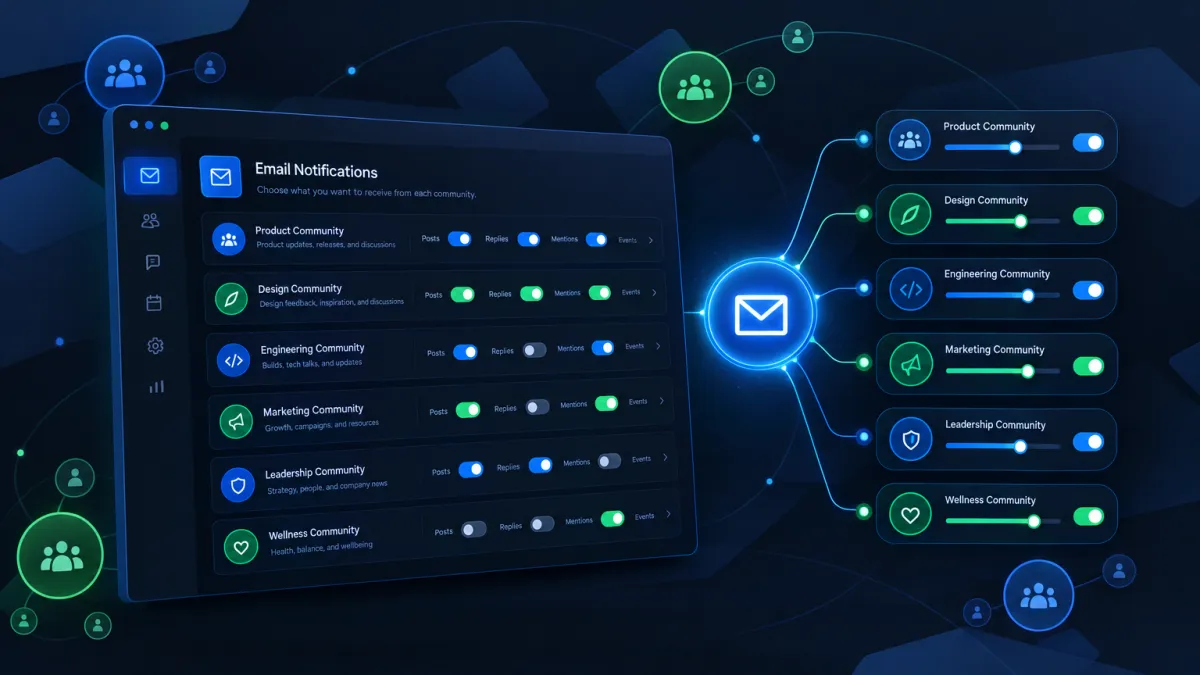
Your Community Members Can Now Unsubscribe Smarter — Without Going Dark on Everything
If you run communities inside Attractzen, here's something that's been quietly costing you engagement — and it's now fixed.
Until now, when a community member clicked Unsubscribe in one of your community emails, it could wipe out all of their email preferences across the entire platform. One click. Gone. They'd stop receiving updates from every community, every campaign, every communication you'd set up — not just the one that triggered the opt-out.
That's a problem. And we've solved it.
Precision Unsubscribes Are Now Live in Attractzen Communities
Attractzen's community email notifications now support granular unsubscribe controls — meaning members can opt out of exactly what they don't want, without affecting anything else.
When a member clicks Unsubscribe in a community email, here's what happens:
- A confirmation page clearly shows which community and which notification type is being turned off — for example, a comment mention, a new post, or an @everyone alert.
- The member confirms that scoped preference.
- Only that specific community + notification type combination is silenced.
- Everything else — other communities, other notification types, other platform emails — continues without interruption.
Why This Matters for Your Business
Communities are one of the highest-engagement tools in your Attractzen account. Whether you're using them for onboarding, client retention, team collaboration, or lead nurturing, the emails that drive members back into the community are critical to keeping that engagement alive.
When a blanket unsubscribe wiped out all email contact, you weren't just losing community traffic — you were potentially losing contact with leads and clients entirely.
Granular controls mean:
- Fewer accidental platform-wide opt-outs. A member who's tired of @everyone posts won't accidentally silence your entire follow-up sequence.
- Healthier sender reputation. Fewer complaints and unintentional unsubscribes protect the deliverability of your campaigns.
- Sustained community engagement. Members stay connected to the communities and notification types they actually value.
Smart Safeguards Built In
A few details worth knowing:
- If a member tries to use an unsubscribe link that's already been used or has expired, they'll see a clear confirmation that no settings were changed — no confusion, no silent failures.
- Members can re-enable any disabled notification at any time from their own notification settings. They're never locked out.
- Unsubscribe preferences are scoped per community and per notification type — so opting out of comment mentions in one community has zero effect on another community's notifications.
What You Should Do Next
No setup is required on your end — this is live and working automatically for all community email notifications in Attractzen. But it's worth knowing so you can communicate the change to your members if they ask, and so you understand why your unsubscribe rates may become more granular and accurate going forward.
If you haven't yet set up a community inside Attractzen, this is a great time to explore what's possible. Communities create a persistent, high-value engagement layer between you and your clients, members, or prospects — and now the email experience that supports them is significantly smarter.


