Find the Right Course Faster: Attractzen Communities Now Support Course Filtering and Sorting
A Growing Course Library Deserves Better Navigation
If you've been building out your Attractzen community with courses, you know the challenge: as your library grows, a flat list becomes harder for members to browse. They scroll, they scan, and they sometimes give up before finding what they actually need.
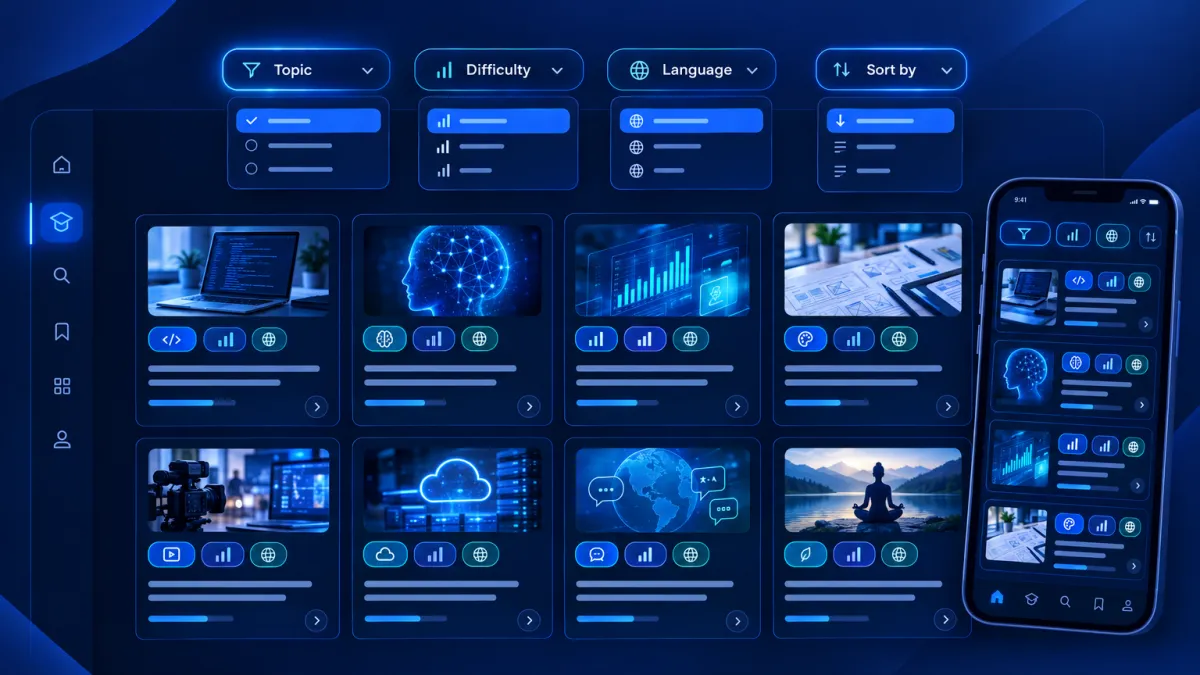
That problem is now solved. Members inside Attractzen communities can filter and sort courses directly from the Learning page — on both web and mobile — so they find the right content quickly, no matter how large your catalog gets.
What's New: Filters, Sorting, and Mobile Support
Filter by Topic, Difficulty, and Language
The Learning page now includes filter options that let members narrow down the course list by three dimensions:
- Topic — the subject area or category of the course
- Difficulty — beginner, intermediate, advanced, or whatever levels you define
- Language — useful for multilingual communities or international audiences
Members can combine filters across all three dimensions at once. Select a topic and a difficulty level together, for example, and the results narrow to only the courses that match both. Filters are based on values that course creators assign inside the course builder — so the more consistently your team tags courses, the more useful filtering becomes for members.
Sort the Course List
Members can also sort the full course list by:
- Title A–Z or Z–A — alphabetical order for members who know what they're looking for
- Newest — surface the most recently added courses first
- Oldest — for members who want to start from the beginning of your curriculum
Available on Web and Mobile
Course filtering is fully available on the Attractzen mobile app as well. Filter chips for Topic, Difficulty, and Language appear at the top of the Learning tab on mobile, with a clean bottom sheet for selecting values. Members get the same filtering power whether they're on a desktop browser or their phone.
How to Make the Most of This Feature
Filters are only as useful as the metadata behind them. Here's how to get full value from course filtering in your community:
- Open the course builder for each of your existing courses.
- Assign Topic, Difficulty, and Language values to every course.
- Once assigned, those values immediately become available as filter options for your members on the Learning page.
- Use consistent terminology across courses so members can reliably filter by the same topic names across your catalog.
You can combine multiple values within each filter dimension and across all three dimensions simultaneously for the most precise results.
Why This Matters for Your Community
Course libraries are most valuable when members can actually find what they need. When a member has to scroll through dozens of unfiltered courses, the discovery experience breaks down — and you lose the engagement you worked to build. Filtering turns your growing course library into a navigable, self-serve resource that serves members at exactly their skill level, in the language they prefer, on the topic they care about right now.
It's a small change with a meaningful impact on how members experience the learning side of your community.
See What Attractzen Communities Can Do for Your Business
Attractzen communities bring together courses, discussions, events, and content in one unified platform — built for businesses that want to engage and retain their audience. Book a demo to see the full picture.


